


Annual Plan

This is the second level of planning within APACE. The user can either allow the system to project the plans from the Planning Model information using the Extract Annual Plan option or they can build an Annual Plan from scratch using the Create Annual Plan option.
The use of this sub-system is not mandatory; other sub-systems can run completely independently of this system.
The Annual Plan and Planning Model values are entered, and viewed, in either hours or days depending upon the user’s customisation.
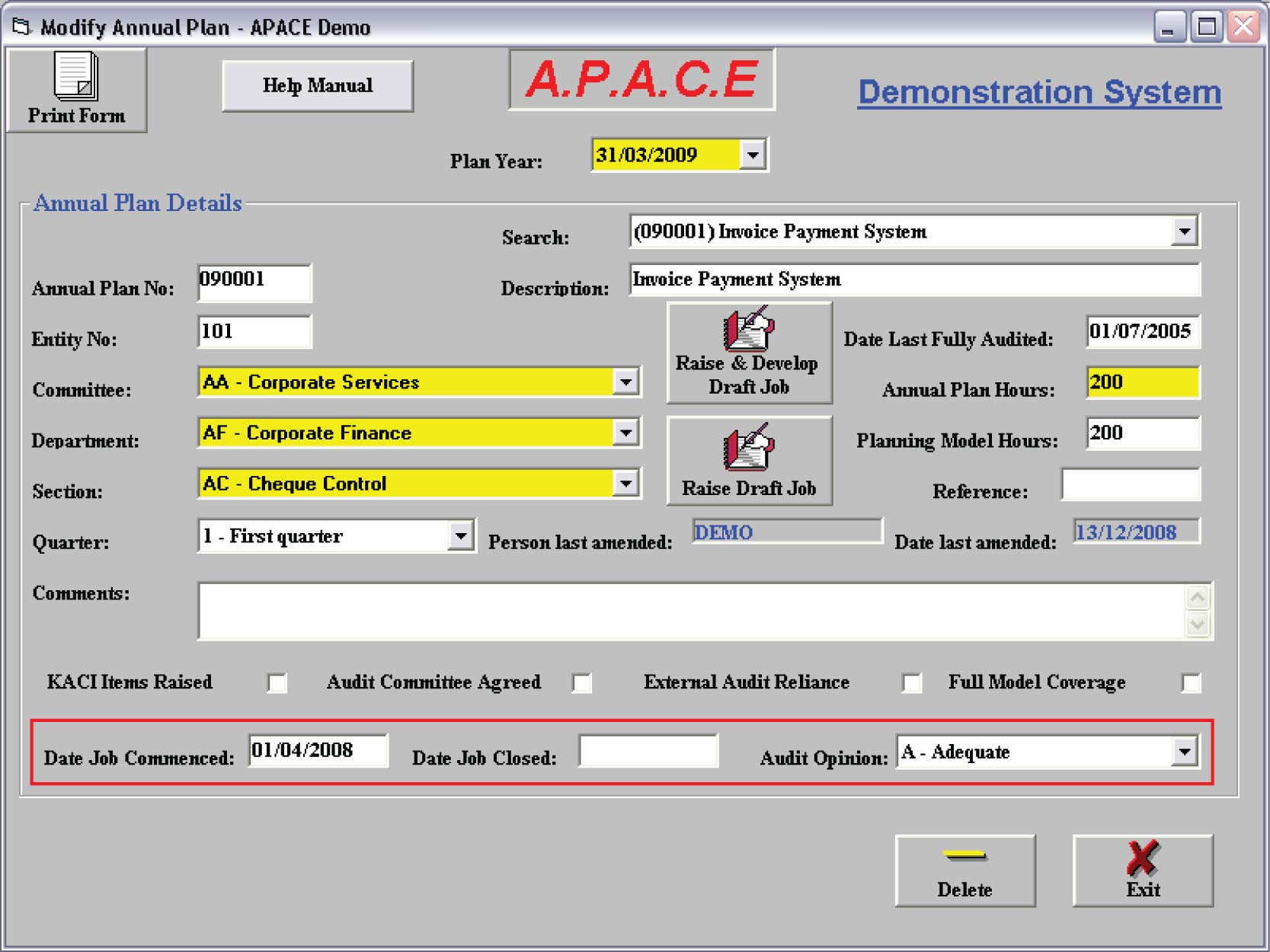
- The data in the Annual Plan is updated in three ways:-
- By using the Extract Annual Plan option, data is downloaded from the Model.
- Automatically by the closure of jobs relating to this Plan item - the appropriate audit commenced, audit closed, audit opinion and various audit flags are updated at job initiation and job closure.
- Manually using the following routines to create, delete and modify Annual Plan entries. This is the usual method or raising annual plans (and then subsequently their associated jobs) for new clients and is an extremely quick procedure, as the majority of entries are merely clicking buttons.
To minimise re-input of data, draft jobs can be automatically raised from the Annual Plan, merely by clicking the raise draft job button.
Reporting
- There are six reports available within this section …
- Full Listing of annual plan. Provides full details of each entry.
- Summary Listing by Function. Provides one line for each plan item summarised by function.
- Summary Listing by Quarter. Provides one line for each plan item summarised by quarter.
- Plan entries where no job raised. Provides a list of all outstanding plan items.
- Extract to Access. Extracts the plan data to an Access 2000 database for your own reporting.
- Annual Plan Progress Report. The key report. Lists, in bold type, the plan entry which is then followed by all jobs raised against that plan entry. Totals are created for all plans and job activity.