



All staff, except senior management, will be expected to have completed a time sheet.
Time sheets can be entered on a daily basis by individual staff members. Some staff will also be granted the ability to create time sheets for other (absent) staff.
The data entered during the period can be any portion of the completed time sheet, individual days do not have to be totally completed - whatever data the user has entered will be accepted when the OK button is clicked. If, however, each entered time line has a job allocated to it, the system will check all times entered to determine whether the ‘Ready for Authorisation’ process may be implemented. This may give rise to a number of messages stating imbalances in daily totals - it is probably wise therefore if users do not allocate the jobs until the time sheet is ready for authorisation.
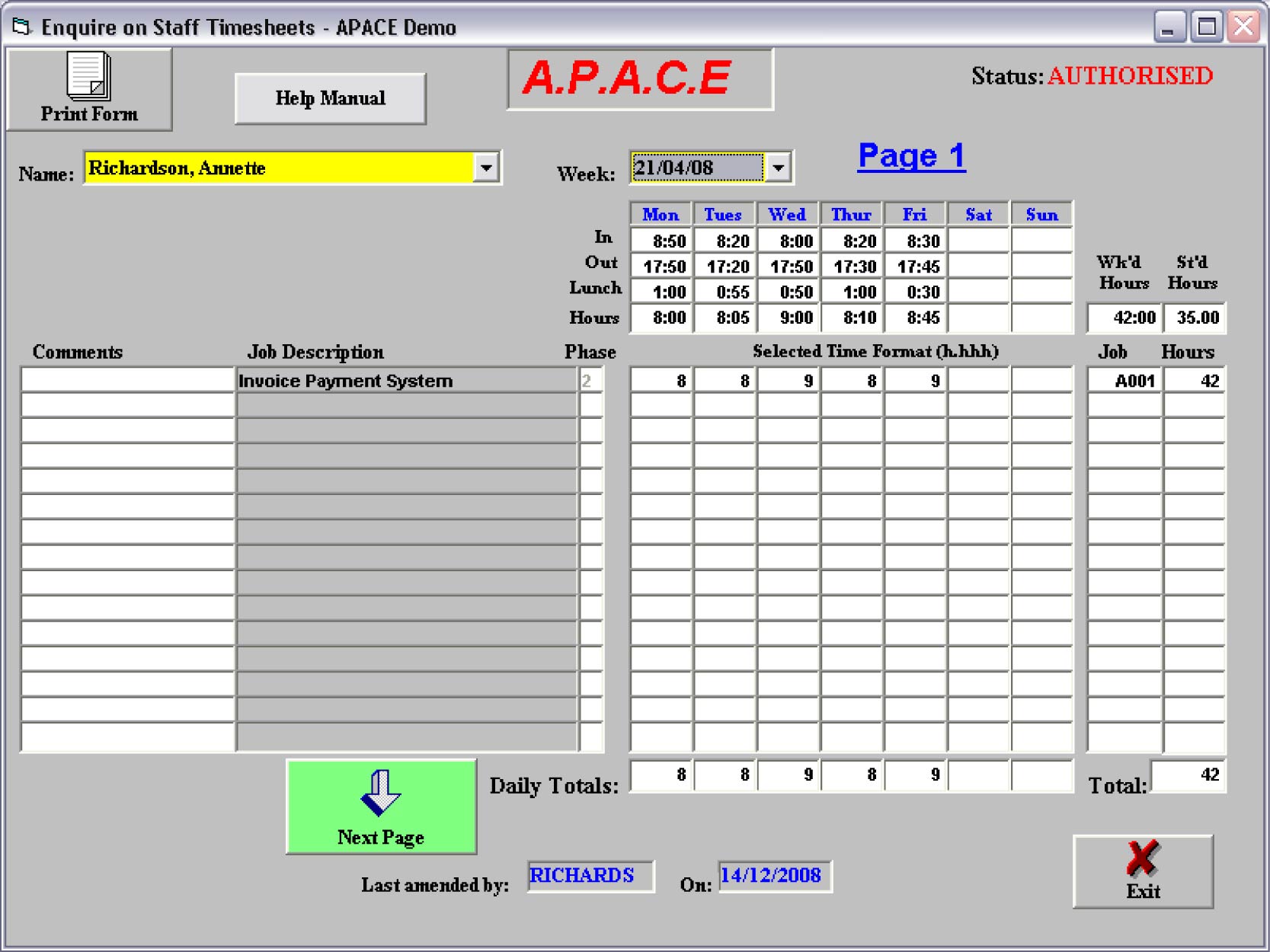
When authorised (a specific routine only made available to selected management), these time sheets are added to the respective jobs totals. Thereafter, as authorised time sheets are modified (again a restricted routine), time is removed from, and added to, jobs to reflect the changes made.
The availability of the various time sheet routines will depend upon their access capabilities granted by the Administrator. All staff will at least have the ability to enter and enquire on their own time sheet (these are the default settings when a new staff member is created).
General Time sheet Processing Principles
The following are general principles regarding time sheet processing, irrespective of the specific process selected:-
- The ‘Week’ concerned is selected from a checklist. Whilst this checklist states ‘Weeks’ this is not strictly correct - the list will contain all Mondays, but will also include commencements of months that are not necessarily Mondays. Only weeks appropriate to the option chosen will be displayed in this list (i.e. weeks not yet authorised for the ‘Create’ process, weeks to be authorised for ‘Authorise’ process and only weeks authorised for the ‘Modify’ process). The list will extend some five ‘Weeks’ from the current period for staff to enter forthcoming holidays (‘Create’ process only).
- When the ‘Week’ is displayed, if it is the beginning or end of a month only the appropriate days will appear.
- Part time staff will have the title St’d Hours changed to P/T Hours and this field is estimated by the system from their projected weekly hours during the Create process. This field can be changed during create, authorise and modify routines to accurately reflect expected activity (even ‘0’). This will then be used in Staff Performance Activity reporting.
- At the end of the week, to be able to ready the time sheet for authorisation (i.e. for the ‘Ready for Authorisation’ button to appear on the ‘Create’ screen), you must have a job allocated to each line where you have entered time. For non-management, the system will check the time allocated each day to the attendance times entered, and finally the time entered in the week to the total time allocated and provide messages if they are not compatible. In the LAN version, when you ready the time sheet for authorisation a message is sent to your supervisor’s log (as defined in the staff record) to authorise the time sheet, and you will get a message to say this has been done. If your supervisor is away you should advise a substitute manager to authorise your time sheet.
- Templates can be created and used within the system. When creating a time sheet, a ‘Save as Template’ button will appear when you allocate jobs (and it will always appear when enquiring on your own time sheet). Clicking this button will overwrite your current template with the current job and phase data. Similarly when you select a new, blank time sheet the ‘Use Stored Template’ button will appear – clicking this will fill the time sheet with stored jobs and phases – but only if they are still appropriate for that date and staff member.
Reporting
- There are only three reports in this section as it is reporting on the overall control of time, not time by jobs etc…..
- Time sheets not yet authorised. This report is useful to ensure that all time sheets have been through the authorisation process for the period you are about to report upon.
- Weekly Summaries of Time sheets. A chronological list of weekly totals by staff identifying status of time sheet.
- Extract to Access. Extracts all time sheets to an Access 2000 database for your own reporting.