



This is probably the most critical area of audit activity.
At the conclusion of an audit a report will be completed, and, unless the auditee area has sound controls, exposures to potential risk will be found and these will be the subject of recommendations within the report.
When an audit department issues hundreds of recommendations each year, how can you be sure that these are being actioned and the exposures thus addressed in a timely manner?
Unless the audit department has fully automated this area, there is the potential that these key targets could slip. APACE provides sufficient reporting tools to enable you to keep on top of outstanding recommendations and also provides significant, targeted management reports on progress.
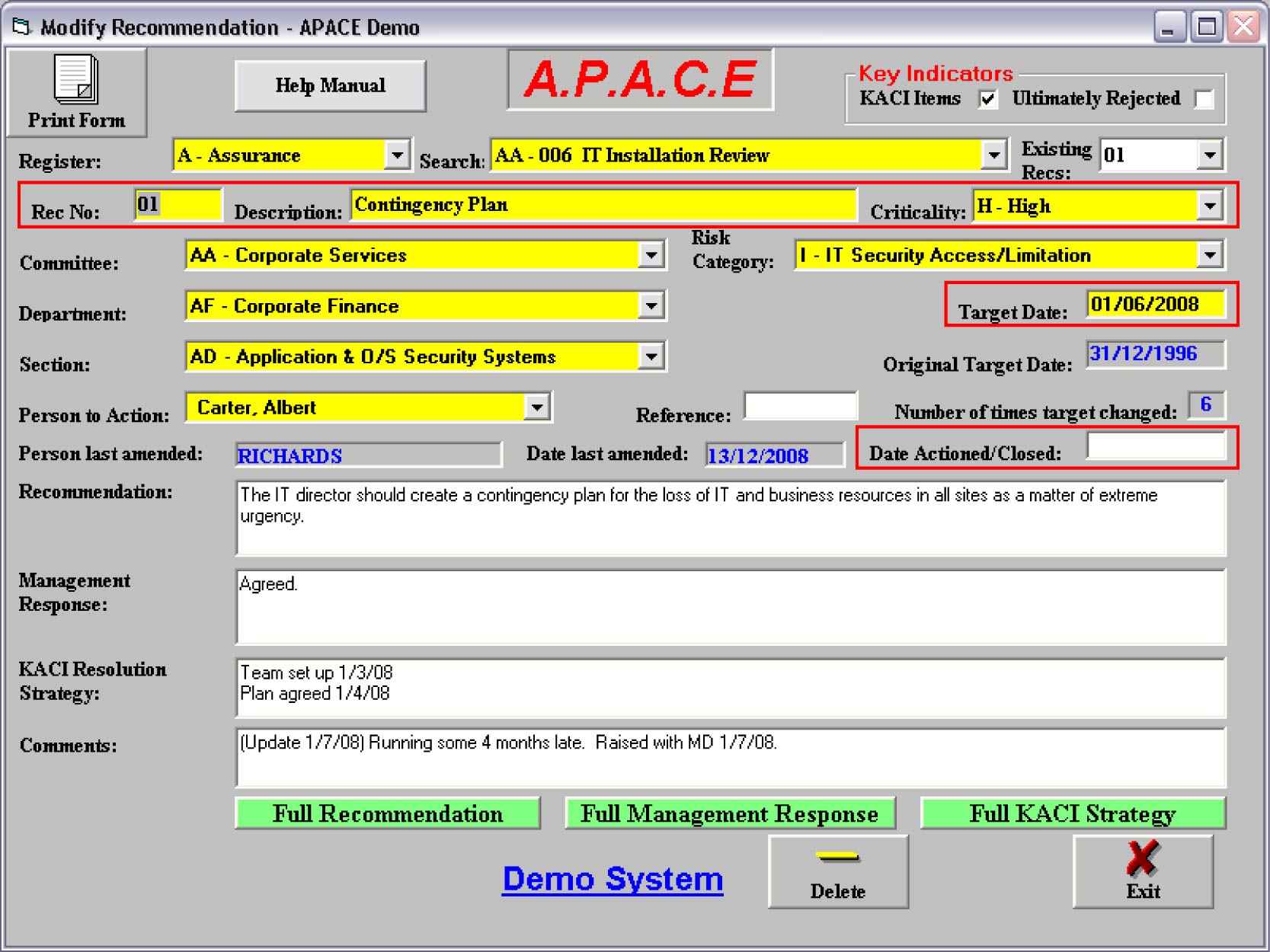
APACE allows allocated users to raise recommendations for jobs. The control of the data entry is not so exposed as to require an authorisation procedure because the data is pasted from the body of the authorised report, and a summary of all recommendations for a report, and current progress, can be created at any time using the Action Plan and Recommendation Progress reports.
Subsequent modifications to these recommendations are usually limited to changing the comments/progress, person to action the recommendation in the auditee area, target date or date actioned/closed, although all fields may be subsequently changed to ensure the most up-to-date information is held.
Similar to the Job reporting sub-system, there are many recommendation reports, each of which is extensively parameterised so you can focus down to the sub-set of information you require.
Recommendation reports include outstanding recommendations, turn-around documents / action lists, exception reports and overall auditee performance reports / graphs.
There are 10 reports in this section. All of which are extensively parameterised so you can focus down to the sub-set of information you require …
- All Recommendations. You can list any subset of recommendations you wish irrespective of whether they are open or closed
- Outstanding Recommendations. This is a most useful report in informing auditee management of the status of outstanding recommendations. The report can show, say, outstanding recommendations overdue by selecting a period prior to today, or it can show recommendations falling due in the coming week/month/quarter by selecting the appropriate period
- Target Dates Changed Twice or More. This will list outstanding recommendations where the auditee has continually postponed agreed target dates
- Action Plan and Implementation Progress. This option will allow the creation of a tabulated listing of all recommendations and management responses for a given report with a further option to list current progress
- Search for a Specific Phrase. This is a very useful option if you want to trace a recommendation yet can’t remember many details of the recommendation or management response - but you do remember a key word or phrase (e.g. Actuarial)
- Key Audit and Control Issues (KACI). This lists all open issues that the audit management deem to be of extreme importance to the viability and security of the auditee
- Monthly Pack. This report is produced early in the following month and will update and display the graphs of outstanding recommendations for either the selected company/committee or all companies/committees. The graph shows a rolling 12 month status of numbers of outstanding recommendations
- Audit Committee Activity Reports. This option will create two summary reports. The first is an overall summary of the status of all recommendations for the selected company/committee. The second is a detailed listing of all recommendations outstanding for more than one month, by job within the selected company/committee
- Monthly Company Summaries. This option will allow the creation of a summary listing of all jobs with outstanding recommendations; showing totals for recommendation states of agreed, not agreed, implemented, not due until after a calendar month, due in next calendar month, overdue more than one month and overdue less than one month
- Monthly Job Summaries. This option will allow the creation of a summary as per the ‘Monthly Company Summaries’ above for each job, but this will be further supported by a line for every outstanding recommendation classified within ‘not yet due’, ‘overdue more than one month’ and ‘overdue less than one month’
